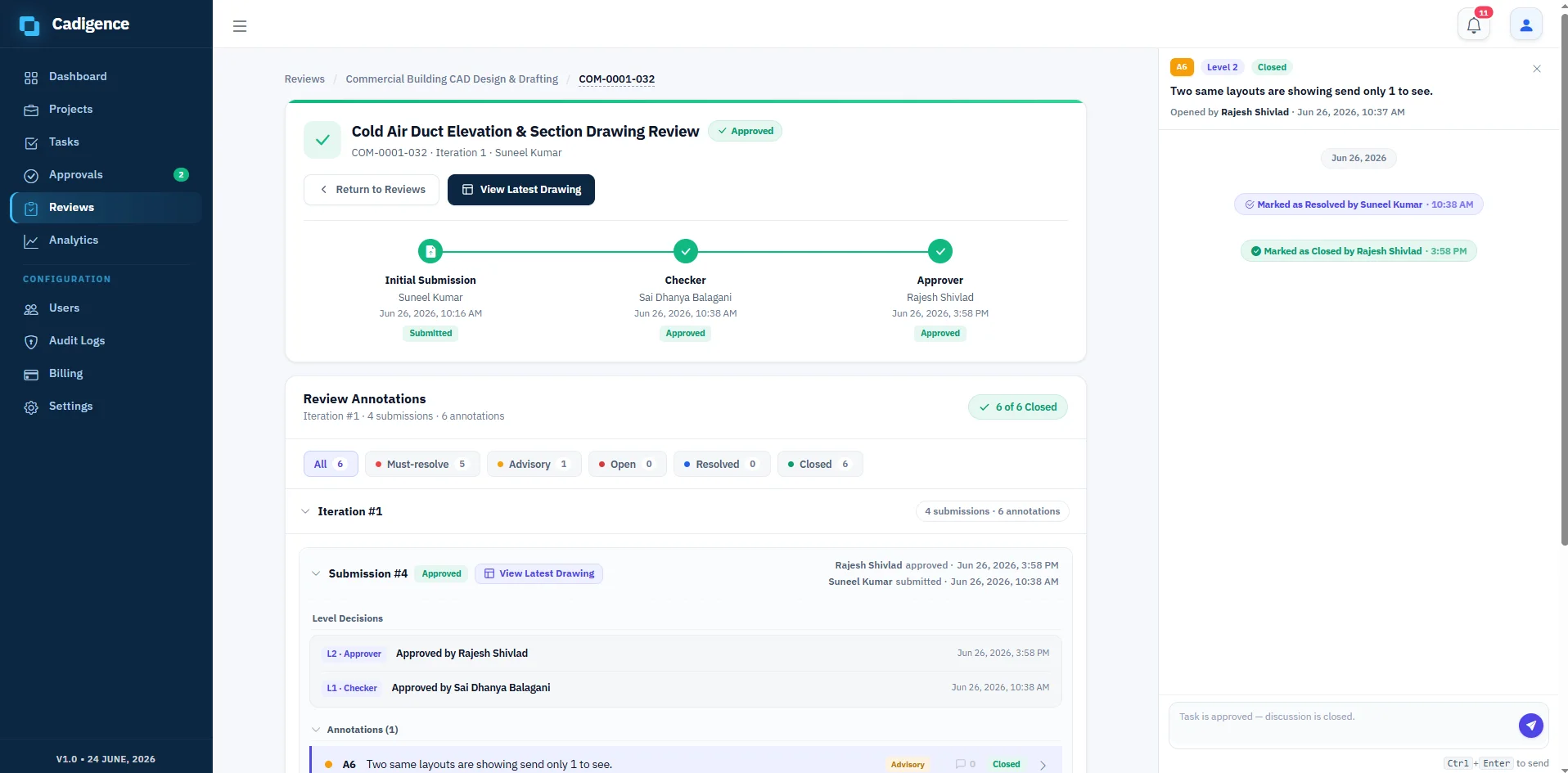
A two-hour review often takes three days. Look closely and the extra time is not spent reviewing. It is spent waiting.
If you want faster reviews, do not push people to review faster. Remove the waiting.
Where the time actually goes
Drawings wait in inboxes. Nobody can see that a drawing is stuck, or whose turn it is.
Comments are unclear, so the designer stops to ask, and that is a round trip.
Hand-offs happen by hand. Each level starts only when the last one remembers to forward it.
Rework, because priorities were unclear. Without severity, designers fix the wrong things first.
Five changes that speed it up
Make status visible. One place where anyone can see where a drawing is and who holds it.
Pin every comment to the drawing. No time lost explaining where “here” is.
Tag severity. Designers fix must-resolve first, so approval is not blocked by nitpicks.
Automate the hand-offs. When a level approves, the next reviewer gets it immediately, not eventually.
Keep one thread per comment, so a question and its answer live together.
The approval pipeline hands a drawing to the next reviewer automatically once a level signs off.
Measure it, or you cannot improve it
You cannot speed up what you do not track. Watch three numbers: turnaround (submit to approval), reopen rate, and on-time approval. Once they are visible, the bottlenecks name themselves.
The short version
Most review delay is waiting, not working. Make status visible, pin and prioritise comments, and let drawings move up the levels on their own.
That is how Cadigence is built, and it is in early access now. If your reviews are slower than the work deserves, request early access and we will show you a full cycle on your own drawings.
 Cadigence