
What is Cadigence
Cadigence keeps drawing review tied to the drawing itself. Instead of comments scattered across email and chat, every comment is pinned to the exact spot on the drawing, tracked until it is resolved, and run through your approval levels, with a record you can stand behind later.
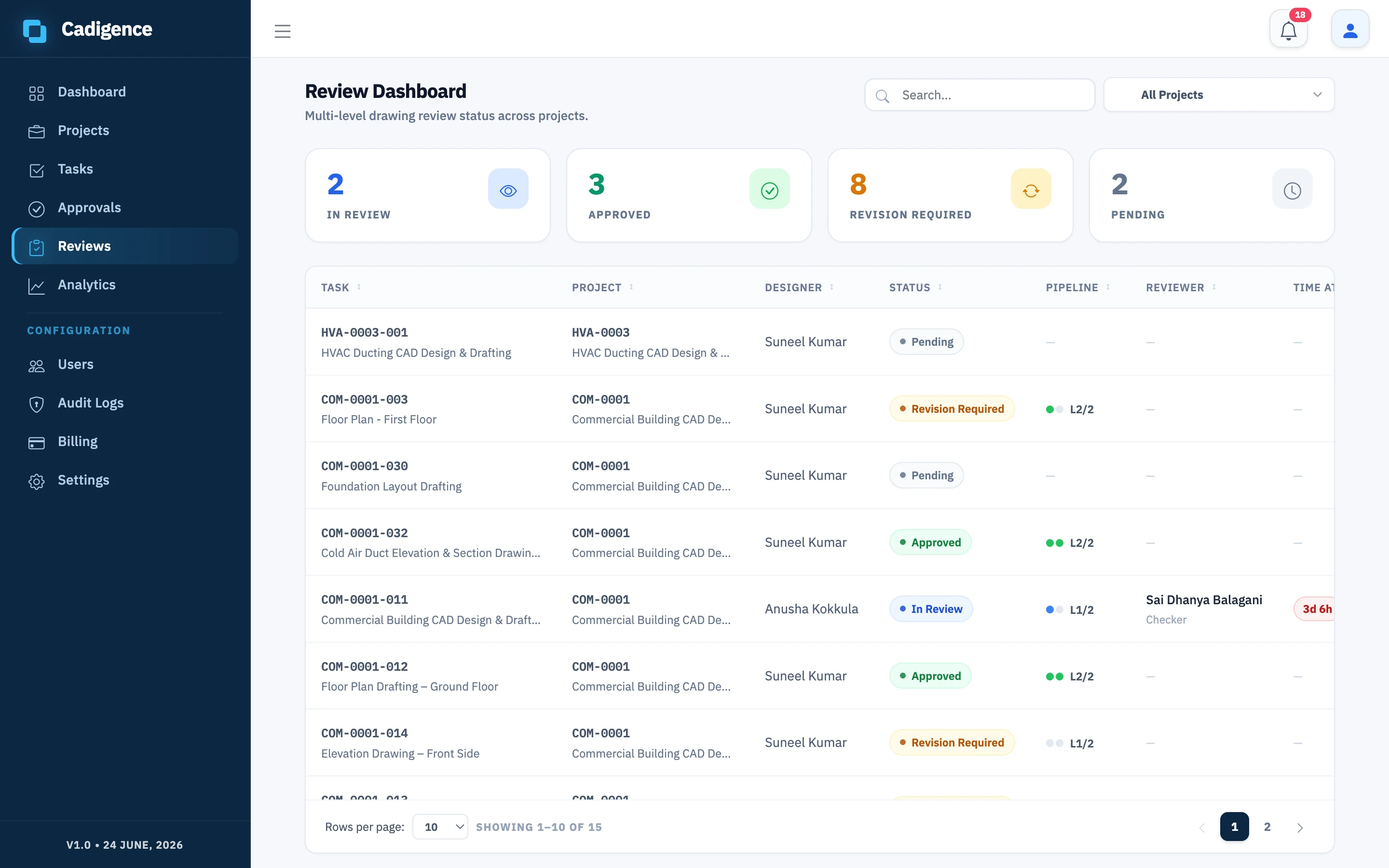
Two surfaces, one shared record
Section titled “Two surfaces, one shared record”Cadigence has two parts that share the same data:
- The AutoCAD plugin: for designers. They submit drawings for review and see reviewer comments pinned right on the drawing inside AutoCAD.
- The web portal: for everyone else. Checkers, approvers, managers, and clients open the drawing in a browser, mark it up, and approve it or send it back. No AutoCAD needed.
The flow at a glance
Section titled “The flow at a glance”- A designer maps a drawing to a task and works on it in AutoCAD. Effort is tracked automatically while they work.
- The designer submits for review. The plugin renders the drawing to a PDF and uploads it. Your DWG file is never modified. The task locks so it can’t change during review.
- A reviewer opens the PDF in the web portal and marks up the spots that need work, tagging each comment must-resolve or advisory. They then approve the drawing or return it for revision.
- Comments appear on the designer’s drawing in AutoCAD. The designer fixes each must-resolve comment, marks it resolved, and resubmits. (Advisory comments are guidance, the designer doesn’t resolve them.)
- The reviewer verifies the fixes. When a level approves, the drawing hands off automatically to the next level (up to five), and finally becomes Approved. Approving closes any remaining advisory comments automatically.
- Every step lands in an append-only audit log.
Who does what
Section titled “Who does what”| Role | Works in | Does |
|---|---|---|
| Designer | AutoCAD plugin | Maps drawings, submits, resolves comments, resubmits |
| Checker / Approver | Web portal | Marks up the drawing, approves or returns it |
| Manager | Web portal | Sets up projects, tasks, and approval pipelines; tracks progress |
| Admin | Web portal | Manages people, roles, settings, and billing |
| Client | Web portal | Reviews and accepts the drawing at the final level |
Checker, approver, and client describe review functions, not separate account types. The account roles are Admin, Manager, and Designer, see Roles and permissions.
Cadigence includes the markup and runs the whole review and sign-off. It is purpose-built for drawing review, not a general-purpose PDF markup tool. See Cadigence vs Bluebeam.
Next: Install the plugin.