
Install the plugin
The Cadigence plugin runs on the full version of AutoCAD 2021 or later on Windows. AutoCAD LT and the Mac version are not supported.
The plugin is for designers: they submit drawings and see reviewer comments on the drawing in AutoCAD. Checkers, approvers, managers, and clients work entirely in the browser and do not need to install anything.
Before you start
Section titled “Before you start”- You need an active Cadigence account. Cadigence is invitation-only. If you don’t have an account yet, ask your administrator to invite you. See Sign in and connect.
- Make sure you’re on full AutoCAD 2021 or later on Windows. Check in AutoCAD under Help → About.
Install
Section titled “Install”- Get the installer. Cadigence shares it with your firm during early-access onboarding, so ask your Cadigence contact or admin if you don’t have it yet.
- Close AutoCAD.
- Run the installer and follow the prompts.
- Start AutoCAD. The Cadigence palette appears in the ribbon.
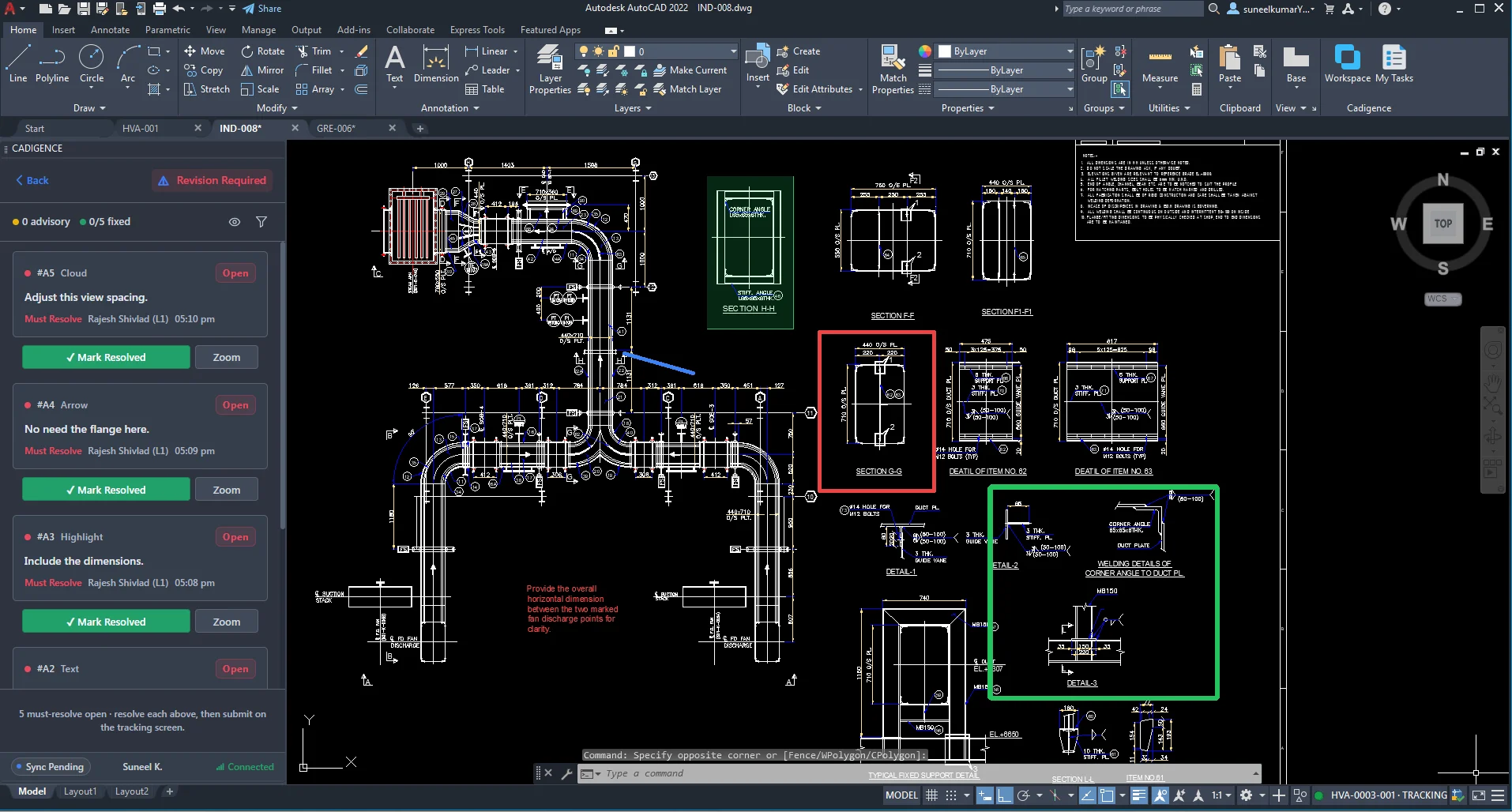
Update the plugin
Section titled “Update the plugin”When a new version is released, your Cadigence contact shares the latest installer. Close AutoCAD and run it. It replaces the previous version in place. Your work and sign-ins are unaffected.
Next: Sign in and connect.