The Most Common Reasons Drawings Get Rejected in Review
Drawing reviewQualityCAD standards
The Cadigence team5 Jul 20261 min read
Most rejected drawings do not fail for exotic reasons. They come back for the same handful, project after project. Learn the list and you can clear it before you ever hit submit.
The usual suspects
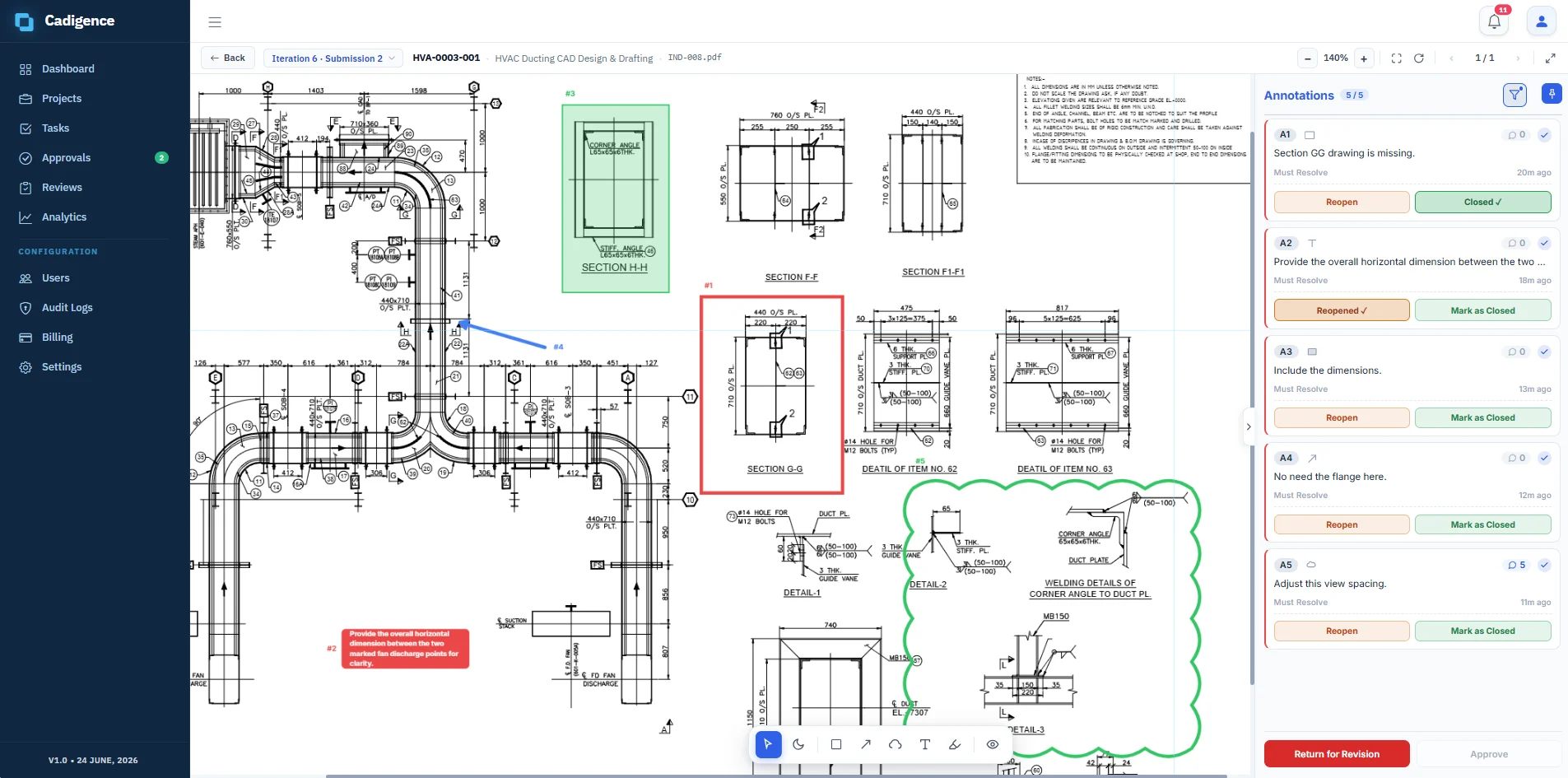
Missing or unclear dimensions. If the reviewer cannot build from it, it bounces.
Non-standard layers, text, or title blocks. Small on their own, but together they signal a drawing that was not checked.
Views that are too tight or overlap. Readability is a requirement, not a nicety.
Details that disagree with the plan. A section that contradicts the layout it references.
No clear revision trail. The reviewer cannot tell what changed since last time, so they re-check everything.
Catch them before you submit
Self-check against the standard first, not after it bounces back.
Compare against the last revision so you know exactly what changed.
Re-read the previous must-resolve list and confirm each item is genuinely done, not just marked done.
A reviewer weighs each comment, tagged must-resolve or advisory, before choosing to approve the drawing or return it for revision.
Why the same things keep coming back
When feedback lives in email, the same comment gets made three projects in a row, because nobody can see the pattern. When every comment and rejection is recorded in one place, the repeat offenders become obvious. Then you fix the process, not just the drawing.
That record is part of what Cadigence keeps: every comment, resolution, and approval in an append-only trail. It is in early access now. If your drawings keep coming back for the same reasons, request early access and we will walk your team through a full review cycle.
 Cadigence